0
Where inspections go wrong
The old way
Defects marked by hand on paper drawings, photos taken on a phone with no link to the spot, comments typed into Excel from memory back at the office, and a report that arrives days later. Unclear locations mean somebody goes back to site to find the defect again.
1
Drawings and models in the cloud
PDF drawings and IFC models
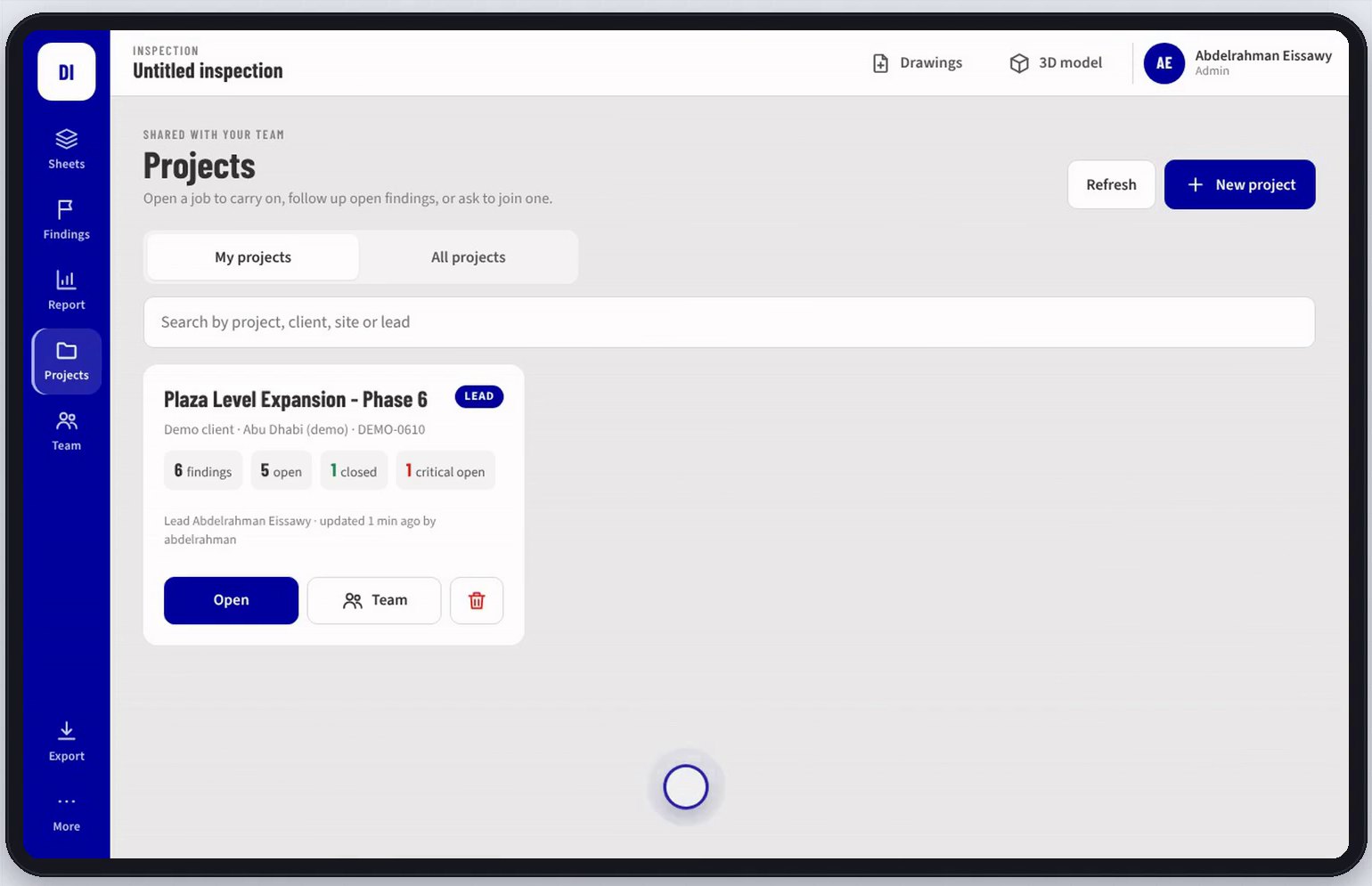
Project drawings and the BIM model are uploaded once. Any authorised team member opens them on a tablet straight away, with no downloads and no out of date printouts.
2
Pin it, photograph it, classify it
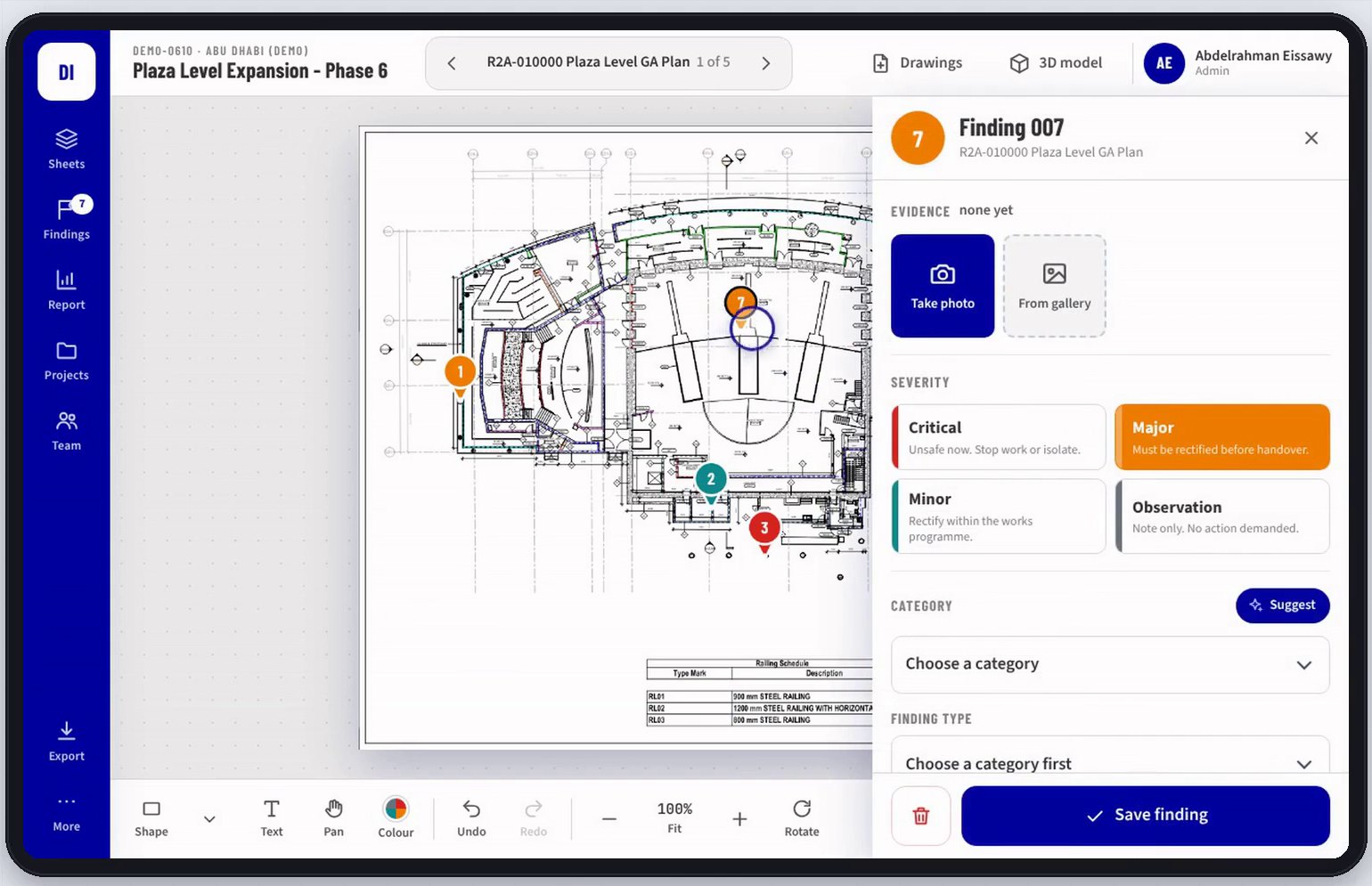
Exact location and photo evidence
The inspector taps the exact spot on the drawing, takes the photo in the same step and sets the severity, category and finding type from the project's own list. The photo stays bound to that point, so the location is never in doubt.
3
AI drafts, the inspector decides
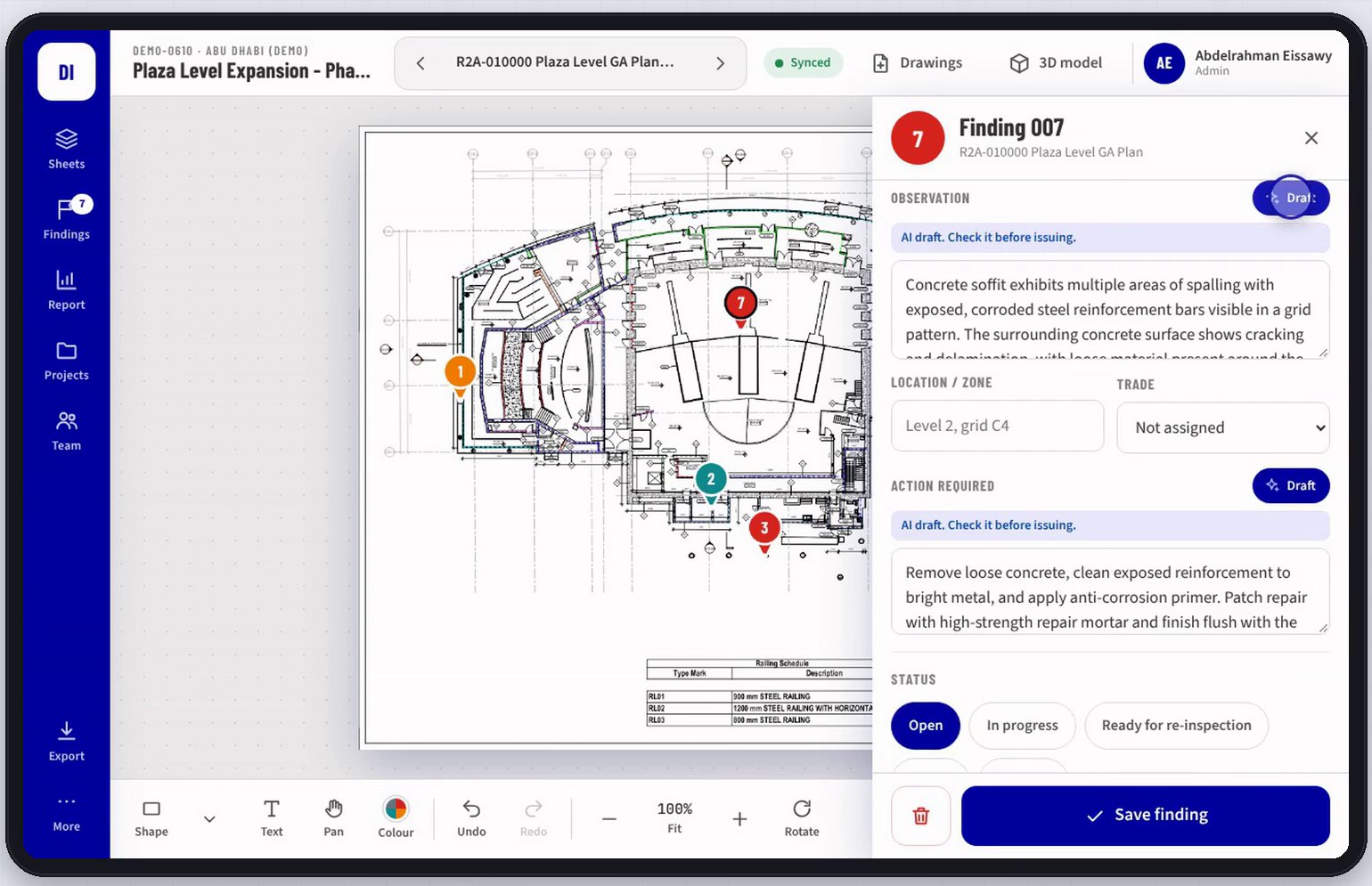
Suggest and Draft
From the photo, AI suggests the category and finding type and drafts the observation and the action required, in consistent professional wording. It describes only what it can see, and every AI result stays flagged until the inspector confirms it. A finding that took minutes to type takes seconds.
4
Findings on the 3D model
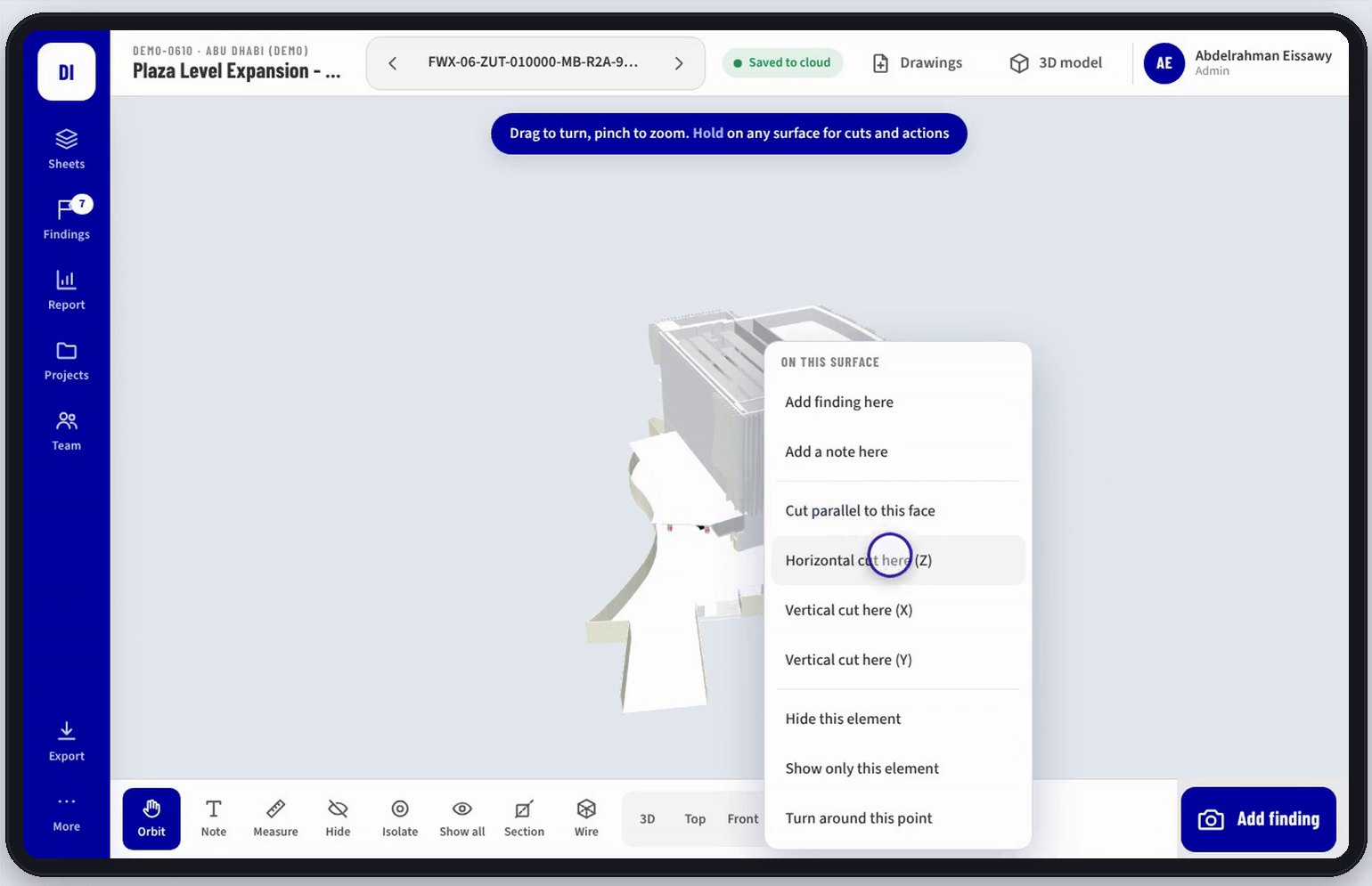
IFC model, section cuts
Cut through the model horizontally or vertically and add a finding on any wall, column or slab inside the building, for defects a 2D sheet cannot place.
5
One live register for the team
Roles, approvals and history
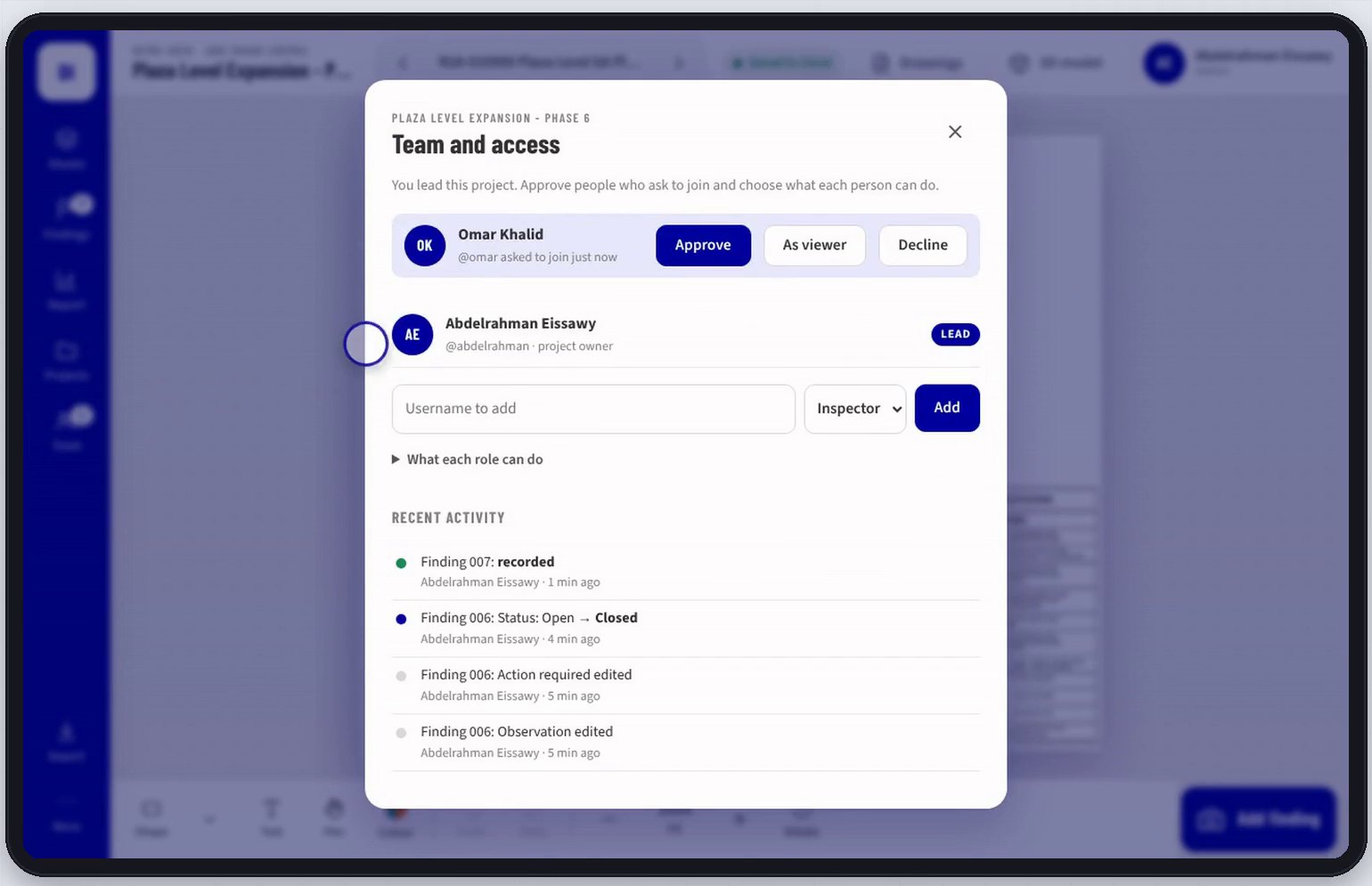
Findings sync to the whole team as they are saved. The lead approves who joins and decides who can record and who can only view, and every change is logged: who closed a finding, and when.
6
Dashboard and report the same day
Dashboard, PDF and Excel
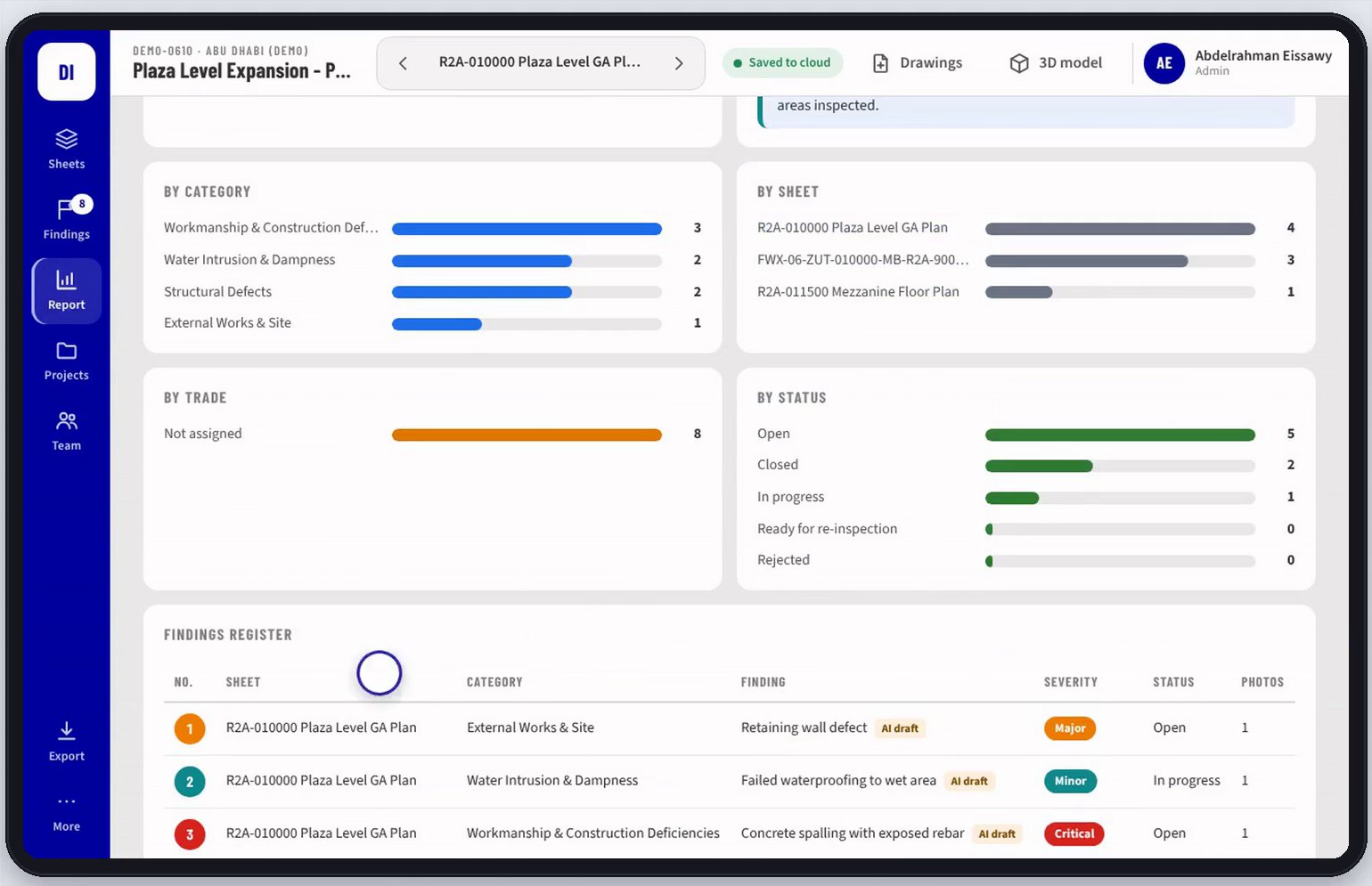
A live dashboard shows status by category, sheet, trade and severity. The PDF report is one tap away, with every finding, its location on the drawing and its photos, plus an Excel register ready for the client. It works offline on site and syncs when back online.
7
The old way and the new way
What changes
| | Old way | Digital Inspection |
|---|
| Recording | Twice: on site, then typed up | Once, on site |
|---|
| Location | Sketched by hand, return visits | Pinned on the drawing or model |
|---|
| Comments | Missed or forgotten at the office | Captured with the photo, on the spot |
|---|
| Report | Days after the visit | The same day |
|---|